
To setup additional users on your account, each with their own unique username and password, all you need is their email address to get them started!
Once logged in to your Stannp account, go to 'Settings' at the left toggle menu, and 'Account Users'. You can review your current account users and add new users.
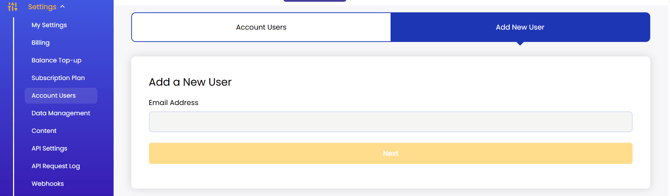
Simply type in the email address you wish to add to your account and press next.
Enter the users name, a temporary password, and the permissions you would like them to have.
Once you're happy, click 'Save New User' to trigger an email send to this new users. Let them know to check their junk inbox if they have not previously received email communication from Stannp.com.
When setting up their account, users can change their password in their own settings.
We strongly suggest that you only give Administrator access to highly trusted users.
Free accounts can have one user only with scaling user numbers (1 to unlimited) across paid plans. To add users in excess of the default user numbers, you can upgrade your plan or apply a subscription add on in your subscription plan settings page.