
Where can I see my current account balance?
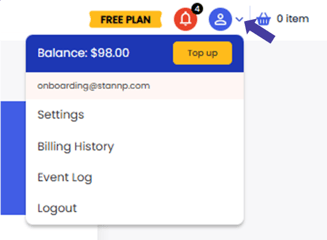
Once you're logged in, click the profile icon at the top right. Your account balance is here. You can also navigate to the Top up page from here where your balance is also displayed. Balance will be displayed in your local currency.
How can I manually top up my account balance?
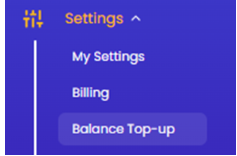
Access the Balance top up page from the profile button shown above or select the 'Balance top up' option under 'Settings' on the left menu.
On this page:
-
enter your top up amount - £10/ $10 minimum top up
-
add or select billing address
-
add or select your payment card (you will need to add your CVV security code to complete a payment with an existing card)
- complete your payment (Pay button at bottom right of screen)
Interested in adding low balance reminders and/ or automatic balance top up? Read more HERE
How is tax applied?
If your region has a fixed VAT/ tax rates, this will be applied at top up. (i.e. UK applies a fixed 20% VAT)
If tax is variable, perhaps based on where your region in relation to the recipient address, this will be calculated, added, and charged as you send your direct mail campaigns. (i.e. US applies a variable S&U tax with this criteria.) Read more HERE