
Your API key is your one of a kind password which allows you to connect your Stannp account to all API related events. Any third party integration software will request this from you so they can connect to your account. Additionally, developers will require this in order to "post" and "get" events.
The API key is available on any of our paid plans and can be actively refreshed at any point.
On the platform you can access the 'API Settings' from the settings menu.
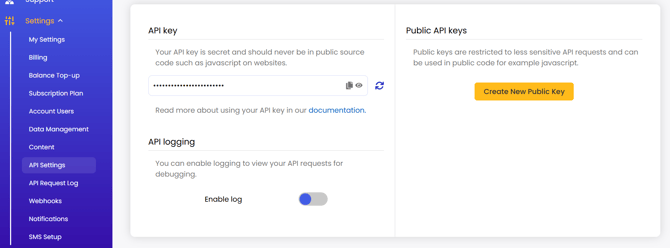
On this page you can:
-
access your API key at any time.
API documentation is also linked here for ease of access. -
refresh your API key for free, if you ever believe it to be compromised.
This will give you a new API key. All established integrations will need to be updated with the new information.
- enable your API log.
This will be enabled for 14 days only. To extend this, you must login and re-enable for a further 14 days. - create a public API key.
These can be used in less sensitive API requests, such as public code.
Be very careful to not share your API key to any untrusted providers. The API key enables access to your account. An untrusted provider with your API key could send unsanctioned mail through your account, spending your balance.