
How do I add my template to a campaign?
When you are creating a new direct mail campaign you have the same options to use a Stannp template (blank canvas or a fully editable Stannp template) or one of your pre-made templates.
Once you have clicked to create your campaign, named the campaign, and selected any available options or extras, you can then start designing.
Click 'Your Templates' the the design stage and select from your pre-made templates in this same mail format.
The next step is to add the campaign details to your template. This could be relevant images and messaging, a compelling offer, a clear call to action, and a Stannp.com QR code to make engagement super simple.
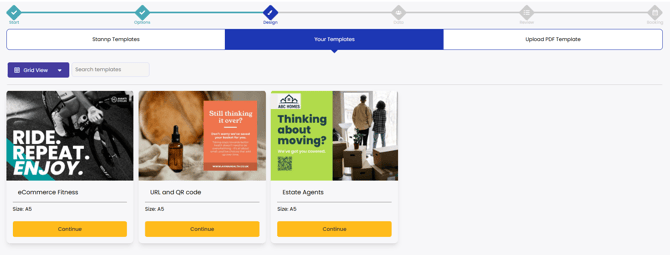
It is always recommend to make a template of a mail design you plan to use often! Check out our article about how to make your own template here.
Can't see your template?
Templates will only show when they are the same mail format as the campaign your are creating. You can create a new campaign to select an alternate format, or design something new in the selected format and save this as a new template.