
If you have designed a postcard, for example, and want to convert this to another mail format, there's a quicker way of doing this than manually moving everything over. This process will transfer all of the content but will keep it all formatted in the same way. You may need to move things around and adjust content to suit the new format.
JSON is a term used in this article and means 'JavaScript Object Notation'. JSON is a lightweight data-interchange format that is easy for humans to read and write and easy for machines to parse (analyse) and generate. It's not essential to understand but may be useful.
As detailed in the design settings: We strongly recommend you only copy and paste JSON content. Edit designs in the design feature and not in the JSON editor as errors here can leave mail undeliverable.
Where do I find the JSON content?
Open your existing mail design.
Select the 'Settings' option from the left design menu.
Select 'Show JSON editor'. (image 1 below)
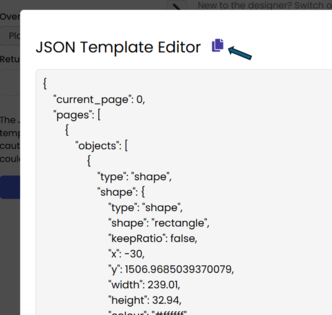
This will open a popup containing a list of all the design elements. (image 2 below)
You can then click the 'Copy' symbol (arrowed in image 2) or manually select and copy all of the JSON text.
1. 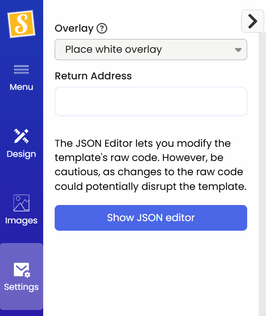 2.
2. 
How to move JSON content to a new design
Once copied, open your new format and follow the 'Settings' opening and 'Show JSON editor' steps above. Next, you will replace the JSON content.
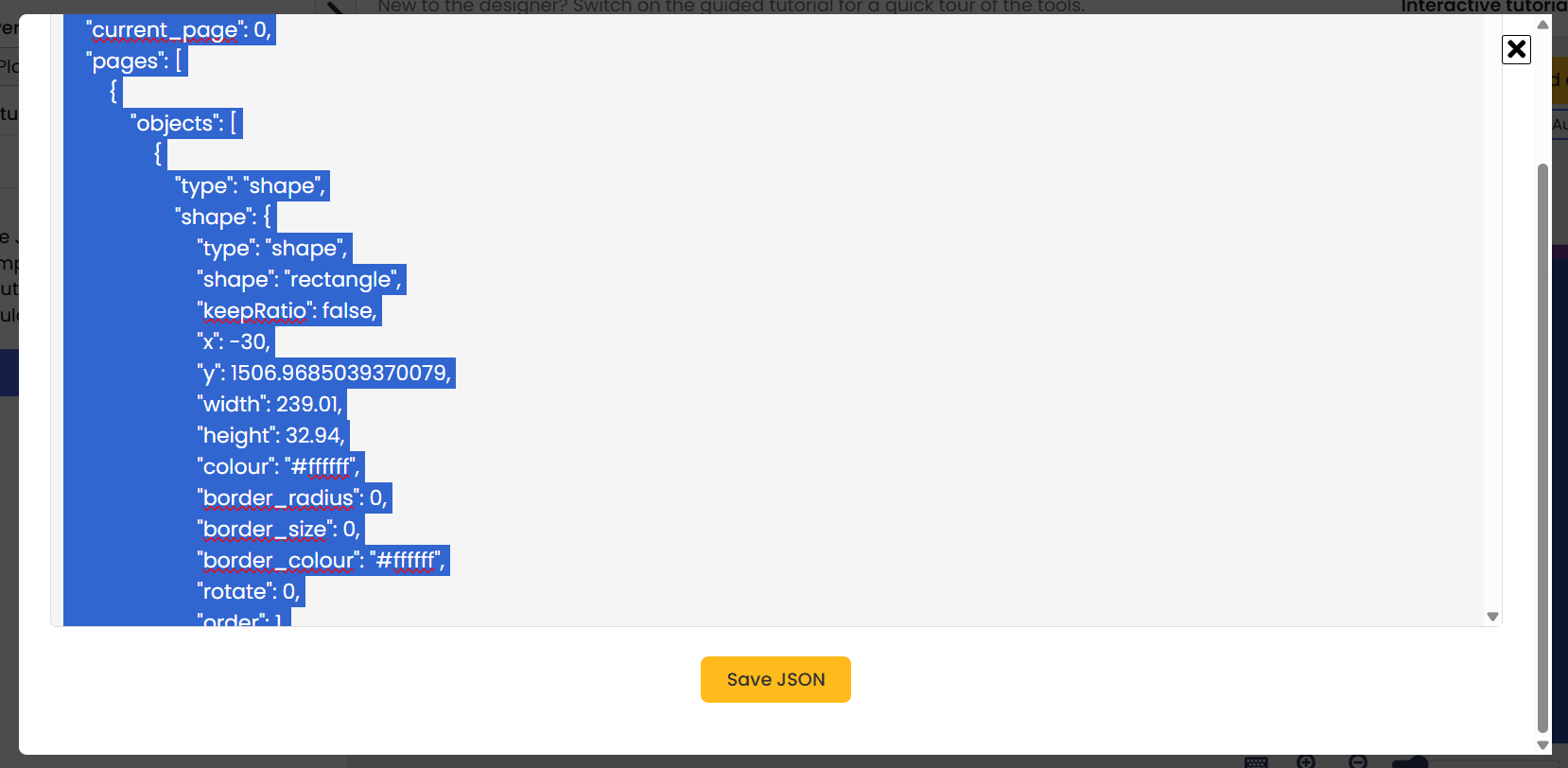
Select the existing JSON text in the new mail format popup, then paste your copied text. JSON content is required to maintain the popup so don't delete the highlighted text. This will simply close the popup.
Once the new content is pasted, scroll down to click 'Save JSON'.
Formatting your new mail design
Each mail format has unique design specifications and address clear zones. The address clear zones are specified by the mail carrier in each region and required for processing and delivering mail effectively. Read more about design markings and clear zones here.
Transferring content with the above process may leave your content requiring considerable content adjustment.