
2D integrity barcodes are printed to the address area of your mail items that, when scanned at specific stages, will provide you with updates for individual mail pieces. Mail tracking updates are available to Stannp.com users with any of our paid subscription plans.
This is not a formal tracked mail, signed for, or guaranteed mail delivery service. For this, you may require a courier service.
To maintain scanability of these barcodes, it's important that your address area is not obstructed by the mail design. This area is marked by the 'Clear Zone' in Stannp.com. Read more about design markings, here.
Where to view mail item status
Once logged in, select 'Reports' from the left toggle menu.
Then, select and adjust the relevant options to view the list of your sent mail items. The default timeframe is 'This Month'. Make sure you adjust this as desired.
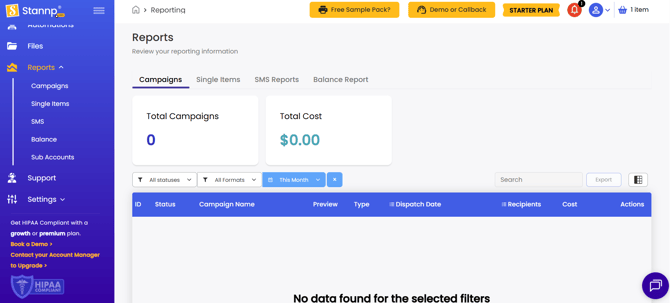
If mail items are available to view, these will populate in the table.
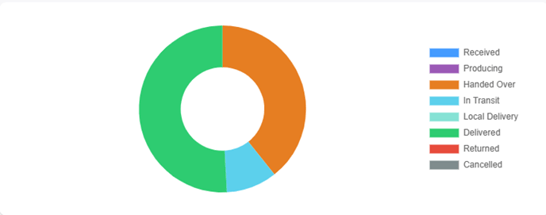
When reviewing your campaign or single send reporting, you'll also be greeted with a pie chart, in the top right of the screen, displaying the status of the mail items in the table.
View tracking of individual mail items
Campaign tracking
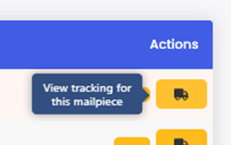
Each Campaign will appear in the table as a unique line item. Select the 'Insights' button under 'Actions'. You will be taken to this campaign where you can view the recipient insights and tracking for each mail piece.
You can also access Campaign insights directly through 'Campaign' option in the left toggle menu.
Single Items/ API Items tracking
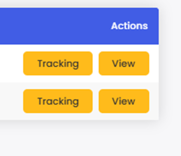 Select the 'Single Items' tab in the 'Reports' page, apply your filters, and the table will populate with all single items that meet this selected criteria.
Each item will have two action buttons. Tracking to see the status' and View to display the individual mail item.
The tracking status pop up
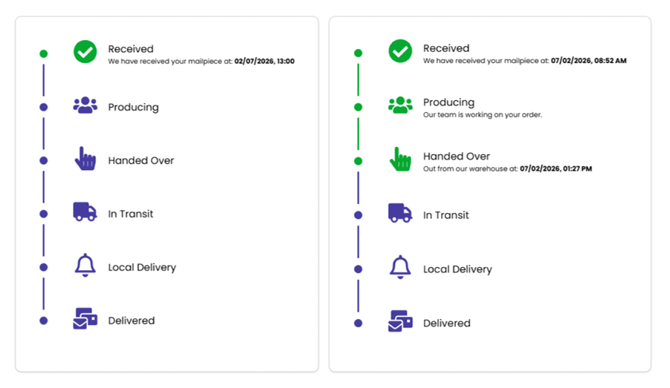
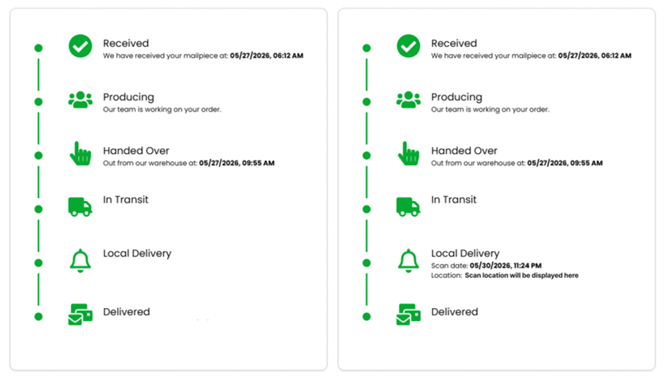
As each stage is achieved, the status will become green. The status is updated at the point items are scanned (at specific stages only) OR when the postal providers delivery timeframes are met. Timeframes will vary depending on the postage class.
Left image below: This is the first stage. Your direct mail order has been received. Remaining stages being blue mean this stage has not yet been completed.
Right image below: Your mail has been produced, has left Stannp.com, and is now with the mail carrier for them to sort and deliver.
Left image below: Stannp.com processed and sent your mail. The postal provider does not appear to have scanned your item but it is green as it's passed the delivery timeframes. If no scans record advances in the steps, the remaining stages will remain blue until the expected delivery date. At that point, all remaining stages will go from blue to green.
Right image below: The postal provider has scanned your mail item at a stage after it was handed over by Stannp.com, leading to detailed updates with scan information displayed.
What do the status' mean?
- Received - We have received your order. This will be the status of your campaign once you've scheduled your campaign.
- Producing - We are currently producing your mail. Our production facilities are hard at work printing and preparing all of your letters and postcards.
- Handed Over - We have given your mail to the mail carrier*. They are now responsible for scanning at future stages. Your campaign will be at this stage until the mail carrier makes their first scan or until the expected delivery date arrives.
- In Transit - The mail carrier* is transporting your mail.
- Local Delivery - Your mail is at the local post office.
- Delivered - Your mail has been delivered! This is assumed delivery in line with the postal provider service level agreement for each postage class.
Cancelled, This status will appear only if mail items have been cancelled.
*In the UK, Stannp.com use a DSA (downstream access) provider, 'Whistl', to transport mail between Stannp.com and the local sorting office.
If the campaign or single item you're looking for isn't there, you may need to adjust the date range or other display settings.
Please note that after the 'Handed Over' stage, we rely on the mail carrier to scan our mail item barcodes. Without this, we cannot pass on updates.
Mail showing 'Delivered' but not yet been received?
The Delivered status will be triggered based on mail scanning at an earlier stage and the delivery timescales specified by mailer carriers, for each postage class. Mail carriers can experience delays but please let the Stannp team know if mail is showing as 'Delivered' but has not yet arrived.