
Whatever the current status of a campaign, this can be copied with two clicks! You can then make design edits and change the attached recipients to send this as a new direct mail campaign.
Once you're in your 'Campaigns' area:
1. Select the campaign from the list (the command buttons will then appear at the top of the table)
2. Select 'Copy' .
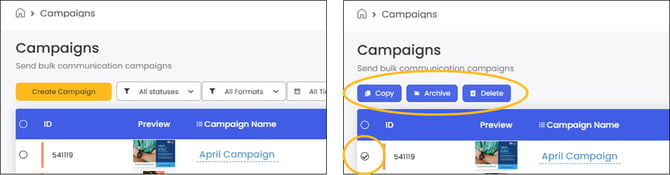
By doing this, a new campaign will be created with same name (and the extension "copy" at the end of this).
This duplicated campaign will retain all the same artwork and recipient data from the previous campaign. Make your desired adjustments before scheduling this campaign.
The copied campaign will appear in your campaigns list with 'Draft' status.
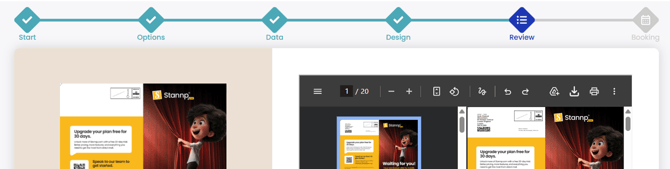
Clicking 'Continue' on this campaign will take you to the next required stage. If recipient data and a mail design was copied then you may start at the 'Review' stage.
You will need to click back to the earlier stages to make edits.
Alternatively, you can create a campaign using a previously created template. We have great articles all about how to setup, use and benefit from templates on our platform.