
When you are setting up a new direct mail campaign you need to give the campaign a name. If you are setting up multiple campaigns it helps you easily find the campaign in the future, from your campaigns list.
There are two main ways to change a campaigns name:
1) When starting a campaign: Give it a name!
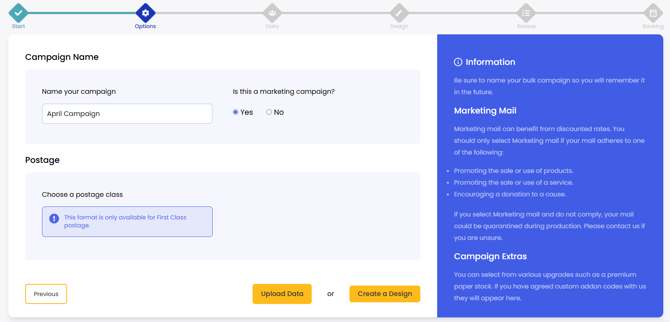
When creating your campaign and after you have selected what format you will be using, you are able to name your campaign. This is useful for organising files later. However, you will not be able to access this screen after you book this campaign.
2) In your Campaigns list: Select 'Campaigns' from the left toggle menu, to view all of your campaigns in one table. Click on the campaign name to open the editing capability. This will auto save when you click away from this box.
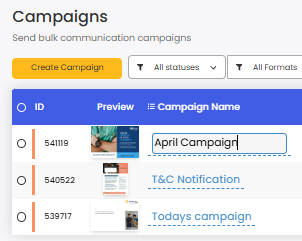
Campaign names can only be edited BEFORE sending.