
Generate your QR code in Stannp.com to ensure upload to print quality is maintained and for simple reporting from your Stannp dashboard.
In your design, add your QR code, customize the QR code and background colors, and add your destination URL for QR code scans. Simple as that! Clickthrough with steps below.
Why generate QR codes in Stannp.com?
A generic QR code creator may inform you that someone has scanned an item, but will not show you who that is.
With Stannp's QR code generator, each QR code is embedded with a unique code during the mail build and printing process, linking this to the individual recipient. This means you will see exactly who has scanned your QR code and can follow up on the hottest leads!
Although you can still add Stannp.com QR codes with a free plan, you can only view engagement insights with a paid plan.
How to add QR codes in Stannp.com
Check our our dedicated Knowledge Base article here or the click through guide below.
View engagement
Once you add a Stannp.com QR code to your campaign, you can easily track engagement in your dashboard.
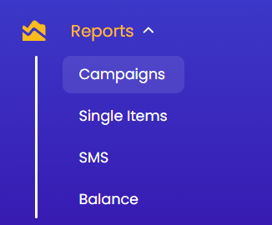
From your dashboard menu, click 'Campaigns' under 'Reports', select your campaign that has had one of our QR codes added.
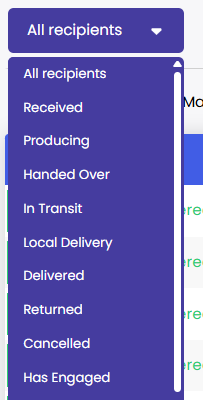 From here you can view the status of the campaign and use the table dropdown to filter view recipients who have engaged with the direct mail item by scanning the QR code. You can export this data and view any other tracking data here.