
If a direct mail campaign has failed a quality check:
- The primary user will be sent an email containing the campaign ID and name, the failure reasons, and additional notes, if applicable.
- Any account user can login, navigate to 'Campaigns' and will see all campaigns in the table with 'Status' showing 'QC Failed' and the red action button showing 'Resolve Errors'.

- Click 'Resolve Errors' to see the provided fail reasons and additional information, if provided.
- Select 'Edit the Design' to navigate back to the platform designer and make the required amendments.
- Once you're happy with the changes, click 'Save and Continue' in the top right of the designer, review your campaign, and click 'Approve and Continue'.
If the original dispatch date has not yet passed, you do not need to select a new date and the original selection will be used. If the previously selected date is not longer available, you will be directed to select a new print and dispatch date.
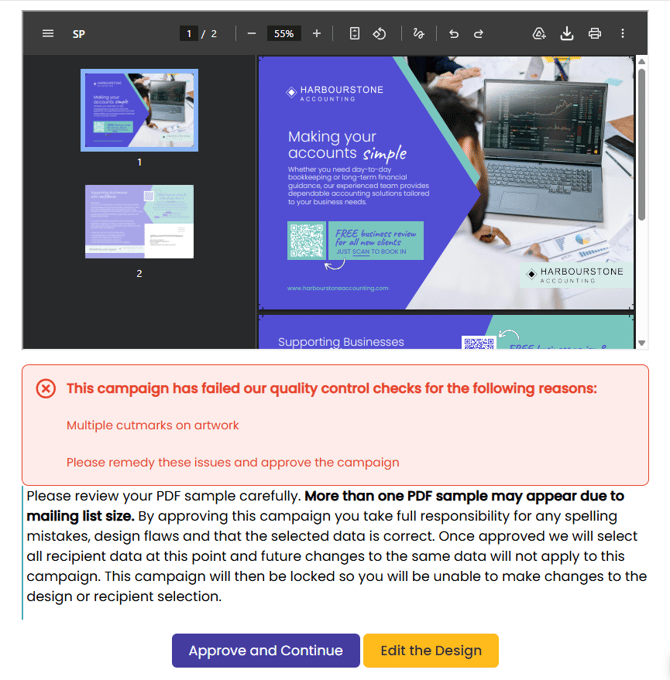
If the updated campaign cost remains the same
- Update your design and click 'Approve and Continue'. Your original payment will remain allocated to this campaign.
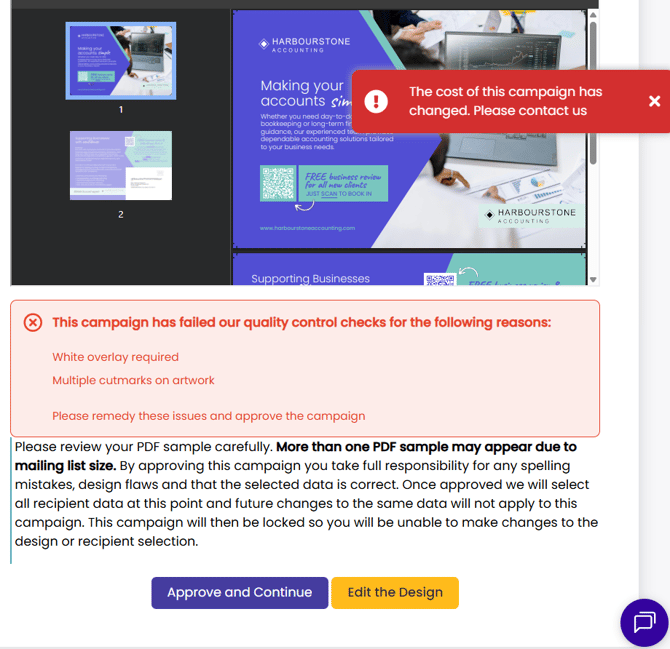
If the updated campaign cost changes, for whatever reason
- Selecting 'Approve and Continue' will alert you of the cost change and to contact Stannp.com. Contact your dedicated account manager directly, or use the webchat.
- Any campaign payment will then be moved to your account balance, by a member of the team.
- You will then need to add the cost difference to your account balance, and select 'Pay with Balance' at checkout.
The default payment method is 'Pay with Card'. Select 'Pay with Balance' if this is the preferred option.
Only the direct mail costs and charged taxes/ VAT will be added to balance, or refunded. Payment processing fees will not be returned.