
Cancel a direct mail campaign
Once you have created, scheduled, and paid for your campaign, you still have a time window to cancel this before it is printed and posted.
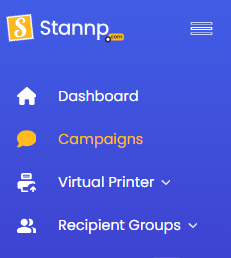
From your dashboard, click 'Campaigns' from the left toggle menu, where you will see your bulk campaigns.
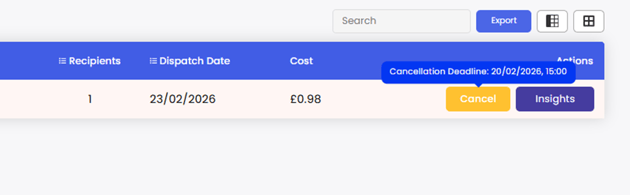
If cancellation is still possible, the 'Cancel' button will be there. Hover over this to see the cancellation deadline for your campaign. Cancellation deadlines may vary between region but are generally the working day before the dispatch date.
Example below shows a Monday dispatch date so the cancellation deadline is the Friday before as this is the working day before the dispatch date.
Cancel a Virtual Printer job
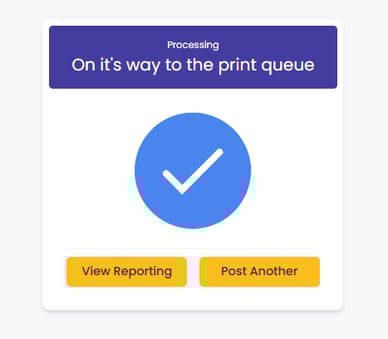
Once a Virtual Printer job is confirmed by you clicking 'Print & Post', it is on it's way to the print queue. You have a very short window to cancel this.
Cancel a single recipient virtual printer send
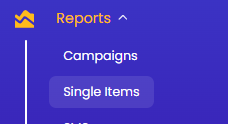
Single Virtual Printer sends are processed as single items. Select 'Single Items' under 'Reports' in the left toggle menu.
If your single item can still be cancelled, the 'Cancel' button will be there to select.

Cancel a multiple recipient virtual printer send
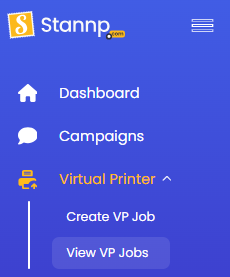
From the left toggle menu, select 'View VP Jobs' under 'Virtual Printer'
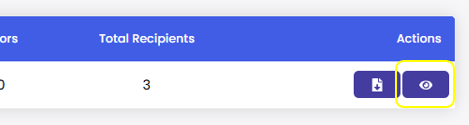
Select the eye icon under 'Actions' to view the job
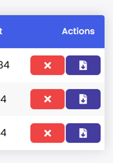
You can cancel the all items by selecting 'Cancel Job and all items' at the top of that page or cancel individual items in the job by clicking the red 'X' in each row under the 'Actions' column.

Cancel API items
If the mail was sent through the API you are able to cancel your own mailings before they are processed, in the same way as cancelling single virtual printer items.
Select 'Single Items' under 'Reports' in the left toggle menu.
If it has not been processed, the cancel button will be there for you to select.
Refunds
If a refund or account credit is due, this will be processed after a bulk campaign or individual mail item is successfully cancelled. Email updates will automatically send to account contacts.
If you believe you're due a refund that has not been processed, you can email refunds@stannp.com to open this request.